Wikipedia Microtask Generator
The Wikipedia Microtask Generator is an article improvement tool that analyzes Wikipedia articles, finds content quality gaps in them, and suggests tasks for editors to do to improve the articles. This could be, for example, “adding an infobox”, “add more references”, “add more images,” etc. It generates very important task lists that can be filtered, reviewed, and exported for campaigns, edit-a-thons, education programs, or individual editing sessions.
Introduction
Wikipedia's quality is uneven. There are millions of articles across hundreds of language editions lacking basic quality content elements such as citations, infoboxes, internal links, or sufficient depth. For organizers running editing events, determining which articles need attention and what specifically needs improving is time-consuming and often done manually.
The Microtask Generator solves this by automating article quality assessment and translating raw quality signals into task recommendations. Each recommended task corresponds to a measurable gap in the article's current state, making it straightforward for editors at any experience level to contribute meaningfully.
en, fr, ar, sw) to analyze articles in that language.
Research Background
Motivation
This tool originated from research into how Wikipedia editing campaigns and events, such as edit-a-thons, Wiki Clubs, and contribution efforts, can be made easier. A recurring challenge for organizers is the absence of tooling to quickly identify which articles in a topic area have the highest improvement potential and to communicate those opportunities clearly to event participants.
Research context
This project is part of ongoing Wikimedia research into micro-task generation for community organizers. The needs of different communities inspired our work. Many communities already know what content matters most in their languages, but they struggle to break those lists into editing tasks. Telugu editors needed a way to prioritize articles based on pageviews and quality signals. Madurese organizers wanted to work with entire categories rather than manually curate lists. Punjabi contributors wanted to understand why a task matters, not just what to edit. Mexican Wikimedians needed exportable task lists for edit-a-thons.
The Meta-Wiki research page documents the design decisions, evaluation approach, and findings from pilot deployments with Wikimedia communities across multiple language editions. Read the full research page.
Methodology
The tool integrates the Wikimedia APIs and the LiftWing APIs. Article quality is assessed using a set of normalized content features derived from each article's wikitext and metadata. Each feature is normalized to a 0–1 scale and a composite quality progress score is computed as a weighted aggregate. Low scores on individual features map directly to specific task recommendations.
How to Use
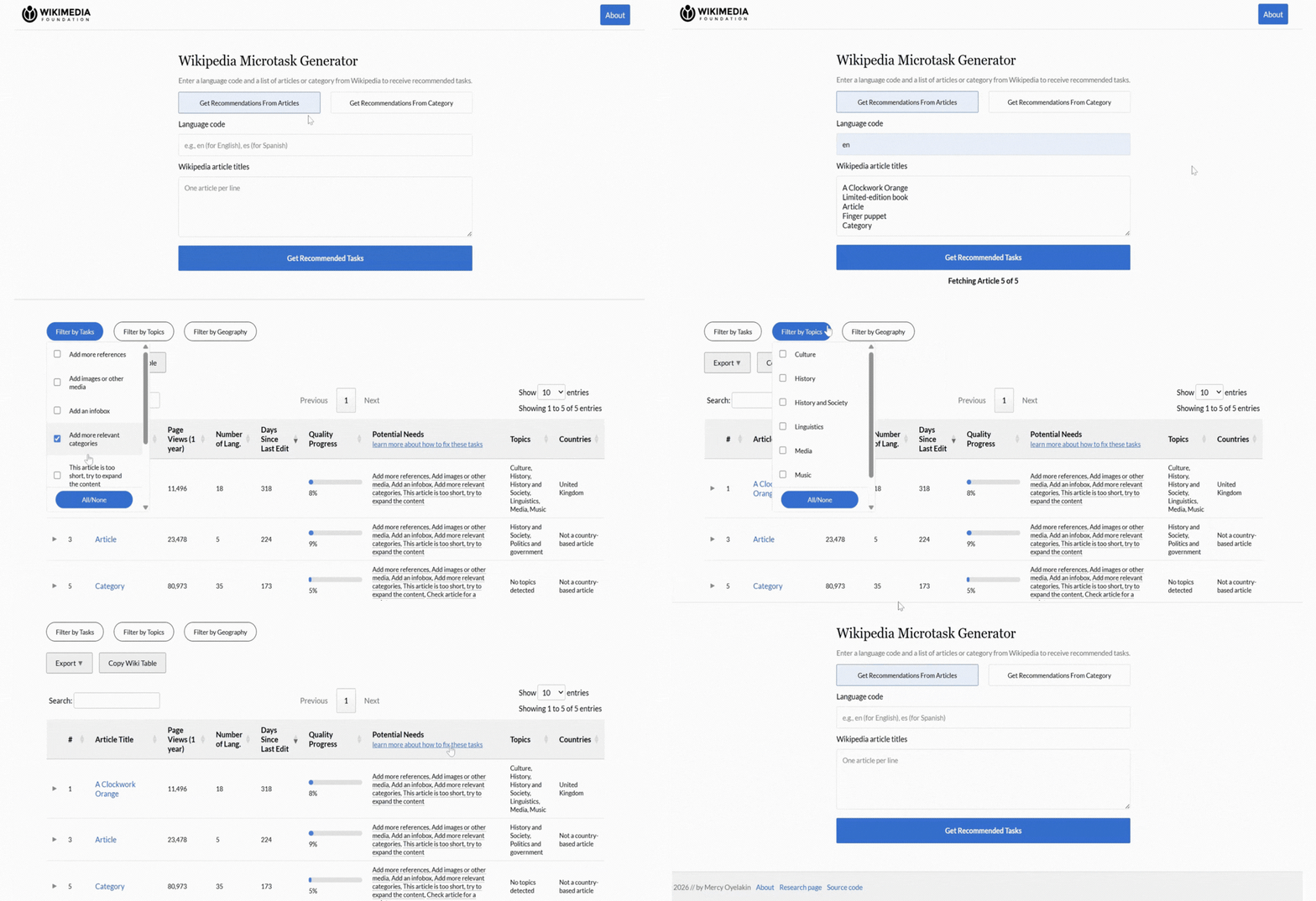
The tool provides two input modes. Results are displayed in an interactive table with filtering, sorting, pagination, and export options.
Article mode
- Select "Get Recommendations From Articles" at the top of the form.
- Enter a "language code" in the first field (e.g.,
enfor English,esfor Spanish). - Paste one or more "Wikipedia article titles" into the text area, one title per line.
- Click "Get Recommended Tasks" . The tool will fetch and analyze each article in real time.
- Review the results table. Each row shows page views, language count, days since last edit, quality progress, and recommended tasks.
Category mode
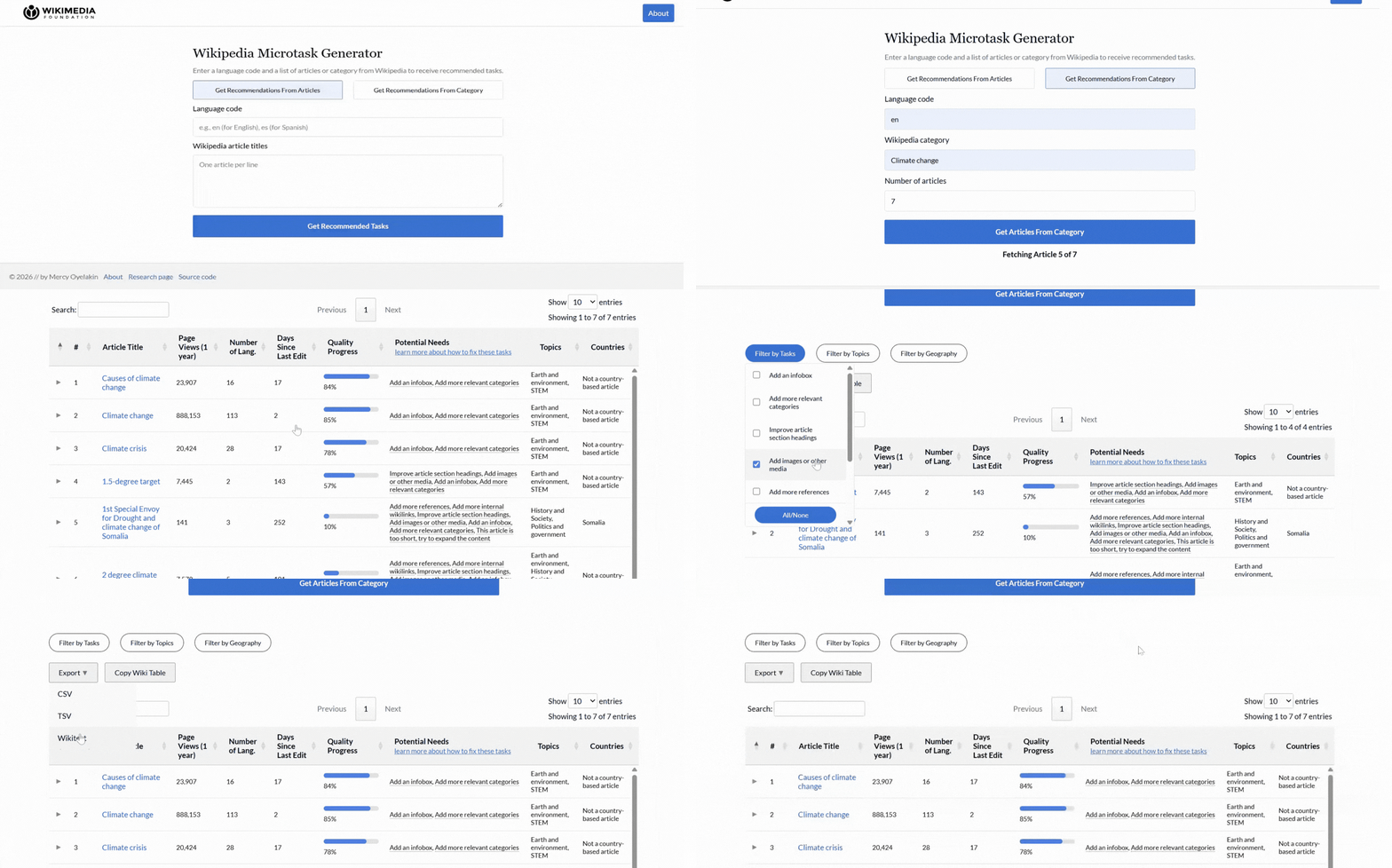
- Select " Get Recommendations From Category " at the top of the form.
- Enter a " language code ".
- Begin typing a " Wikipedia category name " (autocomplete suggestions will appear as you type).
- Set the " number of articles " to retrieve from that category (default: 20).
- Click " Get Articles From Category " to fetch and analyze articles in bulk.
Filtering results
Three dropdown filters appear above the results table: Filter by Tasks, Filter by Topics, and Filter by Geography.
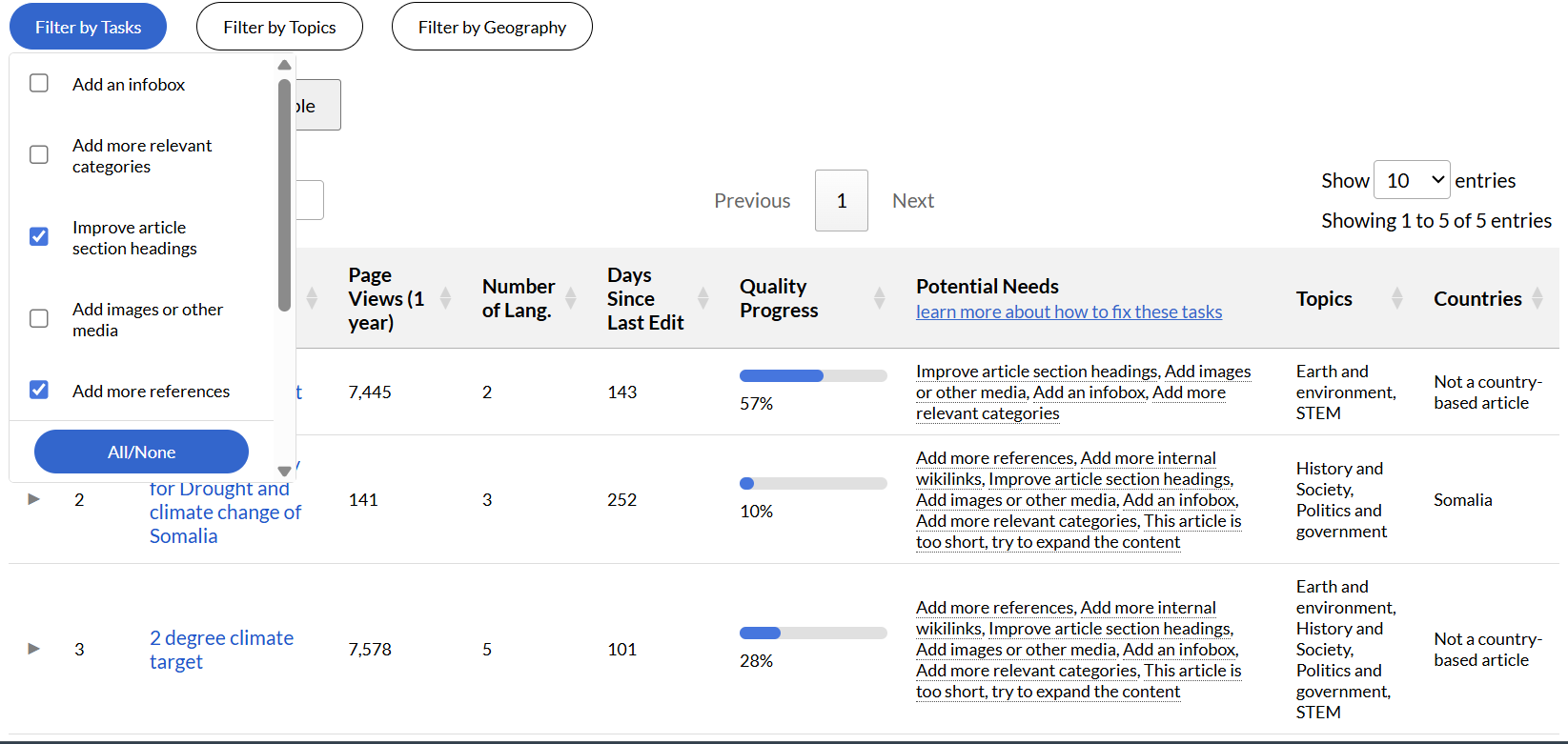
- Filter by Tasks:
The Filter by Tasks option allows users to display only specific types of microtasks. For example, an editor interested in sourcing can choose to view only citation-related tasks. Another contributor might prefer structural improvements, such as expanding short sections or reorganizing headings. Narrowing the task type helps the user to avoids distraction from unrelated recommendations and can work more efficiently.
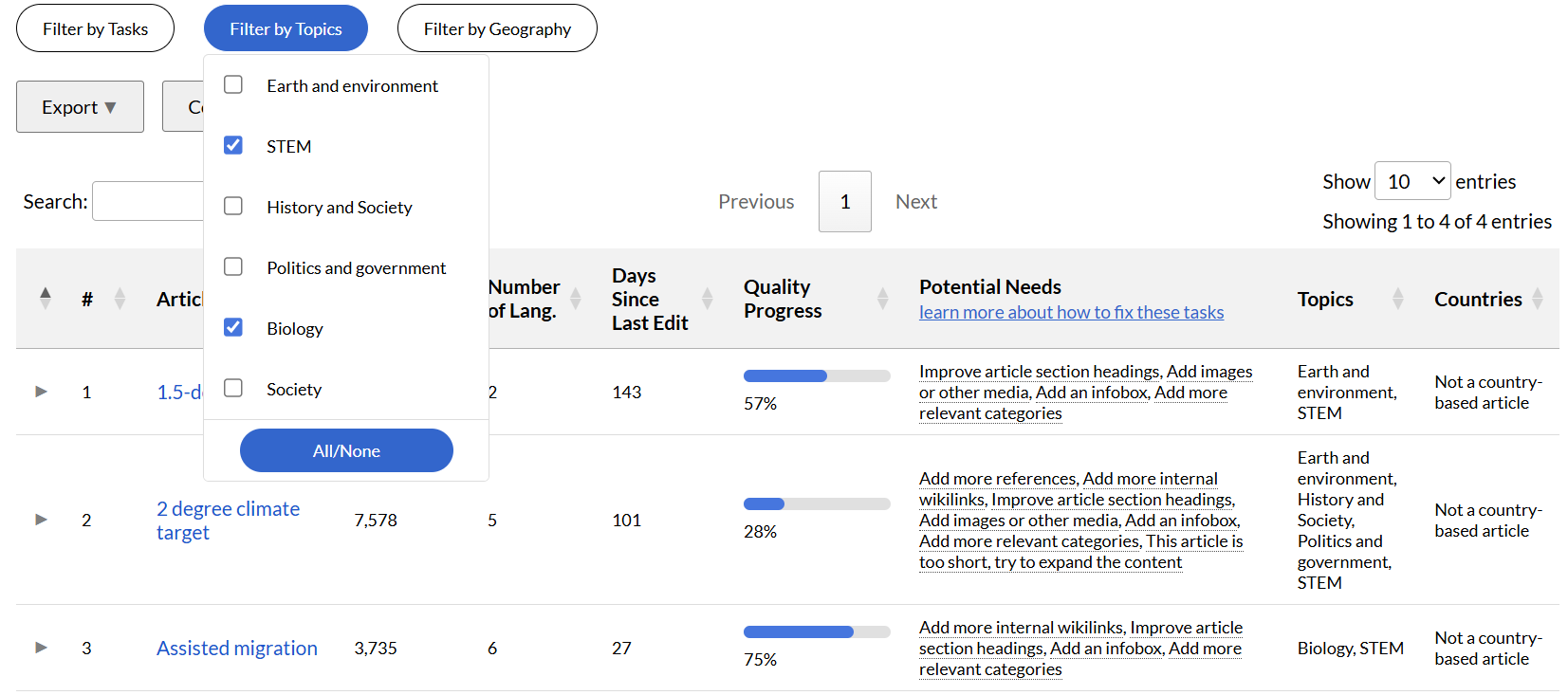
- Filter by Topics:
The Filter by Topics option groups articles according to their predicted subject area. Topic classifications are generated using machine learning models hosted on LiftWing and are based on article content signals. This allows users to isolate tasks related to particular domains such as history, science, culture, biographies, or technology. Contributors with subject-matter expertise can focus on areas where they are most comfortable editing.
- Filter by Countries:
The Filter by Countries option allows users to narrow tasks based on geographic association. Articles are classified according to country relevance using predictive models and metadata signals. This feature is particularly useful for regional campaigns, local Wikimedia affiliates, or education programs focused on specific countries. For example, a user participating in a national editing drive can filter tasks to view only articles associated with their country.
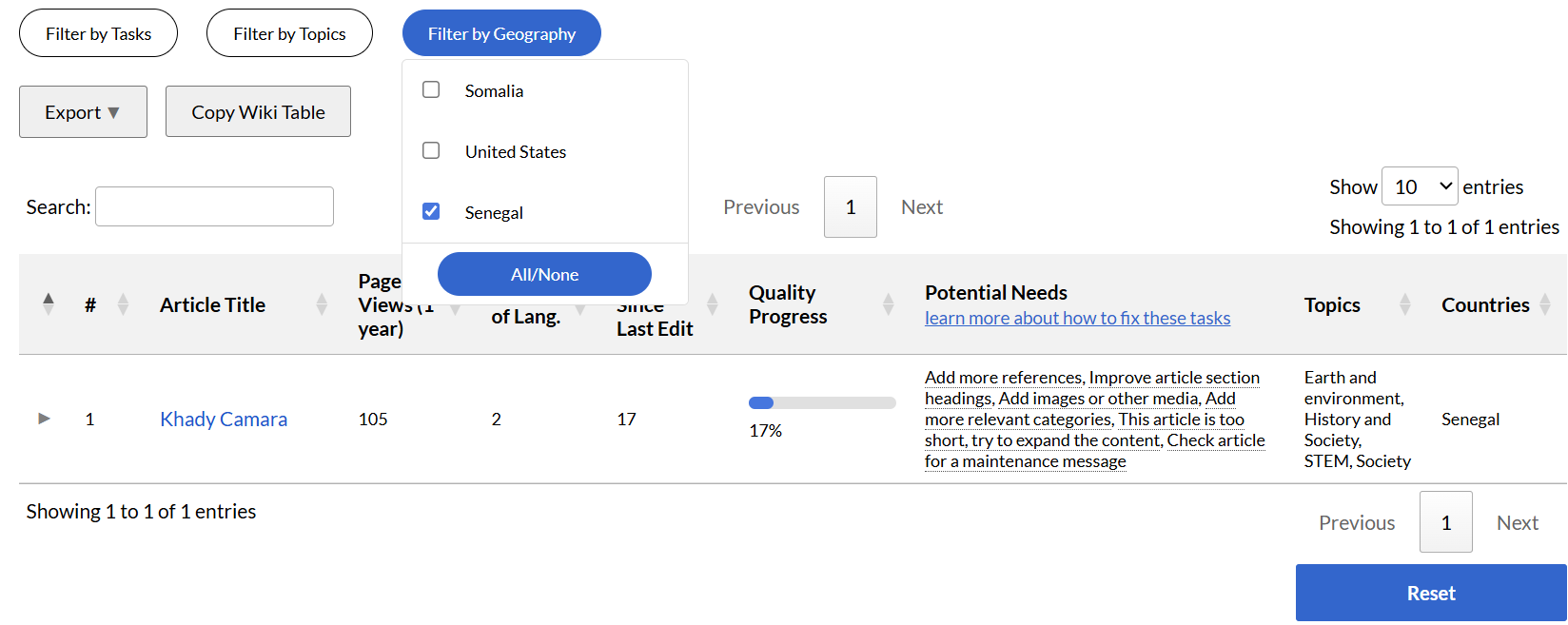
Multiple filters can be applied simultaneously. The All/None button within each filter toggles all options at once.
Exporting & Copying
Results can be exported in three formats via the Export button:
- CSV: For use in spreadsheet tools such as Excel or Google Sheets.
- TSV: Tab-separated format, suitable for databases or wiki-import scripts.
- Wikitext: A formatted wikitable ready to be downloaded and pasted into any Wikipedia page.
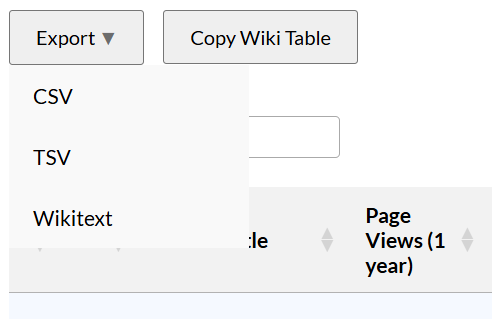
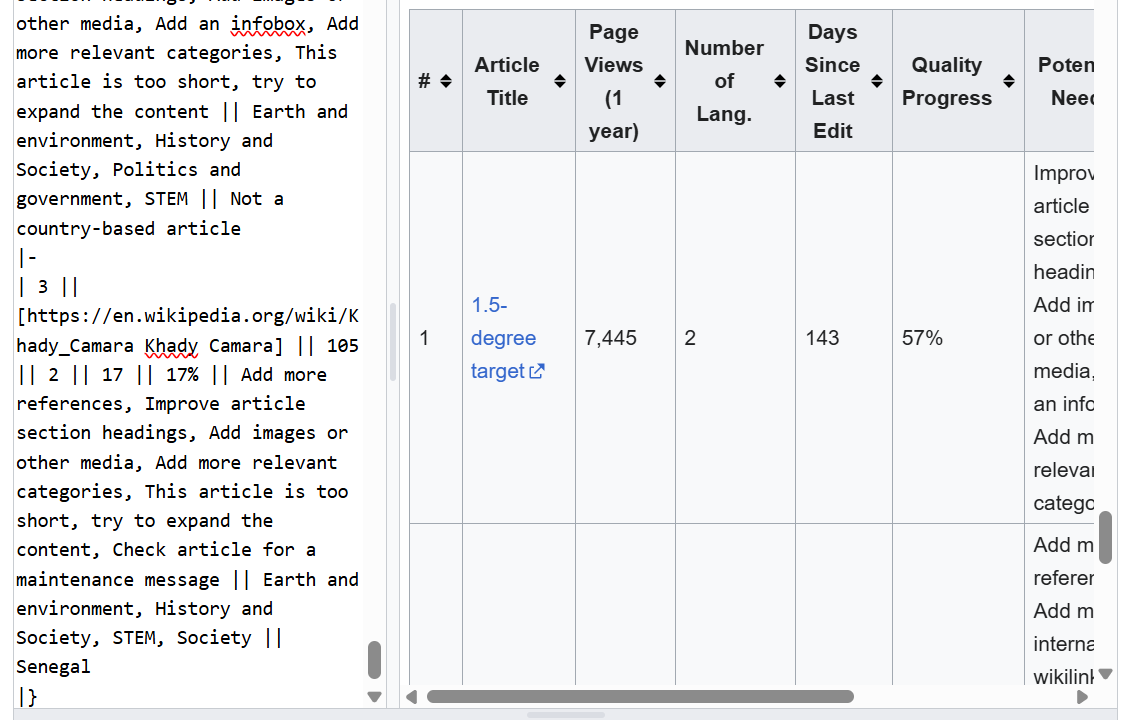
The table results can also be copied to a Wiki Table Format and pasted on the user's talk page on Wikipedia. This can help users plan their edit activities and track their progress through the progress bar after some time.
Detailed Individual Task Progress
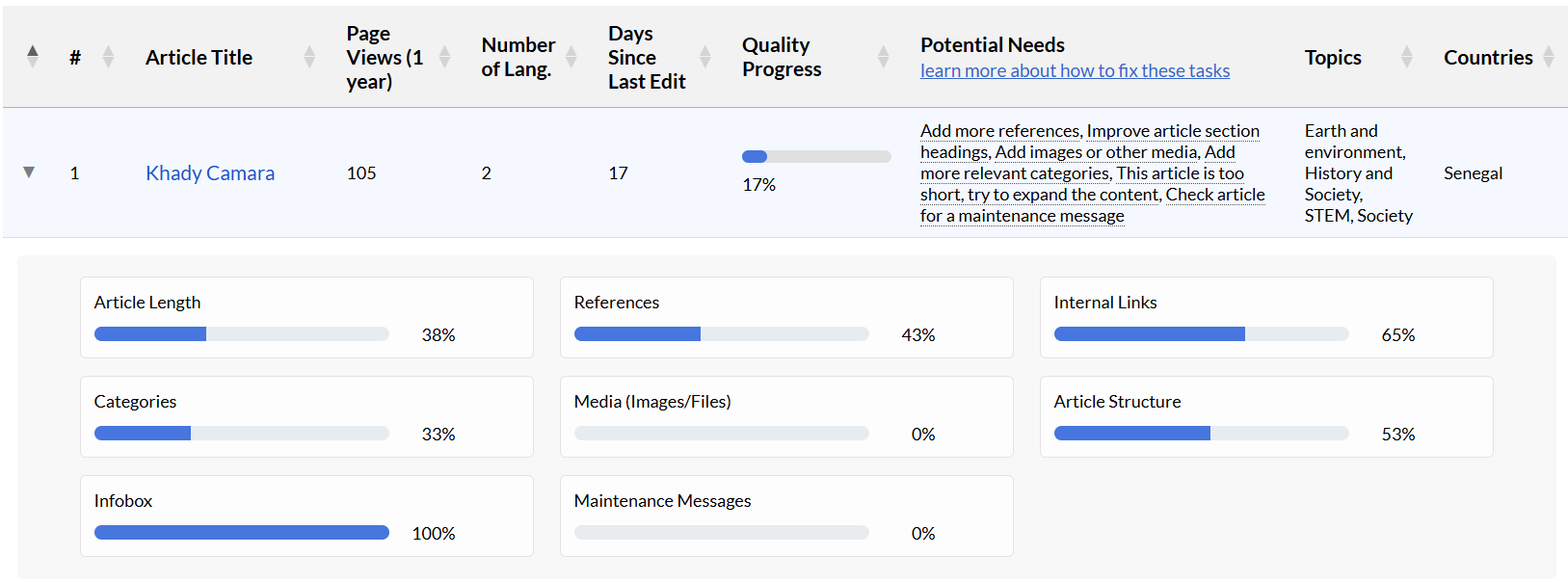
Clicking on any row in the results table shows a more detailed breakdown of that article's quality assessment. Eight quality feature metric cards are displayed, each showing a labeled progress bar and percentage score. This view makes it easy to see exactly which areas are pulling down an article's overall Quality Progress score and where editing effort will have the most impact.
Ordering the Table (Prioritization Signals)
All generated microtasks are displayed in a sortable table that supports prioritization using multiple impact indicators. Users can reorder the table by signals such as the number of page views, the number of language editions the article appears in, and the number of days since the article was last edited.
Sorting by page views allows contributors to prioritize high-visibility articles that are read frequently by the public. Improvements made to these articles can have an immediate and broad impact on readers. Ordering by the number of language editions highlights articles with cross-language presence, helping contributors focus on content that has global relevance. Sorting by days since last edit sorts articles from the most recently edited to the least recently edited. This helps users know which ones may have been neglected, and allows them to identify pages that require renewed attention. On the other hand, some editors may wish to work on articles that are gaining the most edit traffic at the moment.

Recommended Tasks
Based on feature scores, the tool shows one or more tasks per article. Hovering over any task in the results table shows a tooltip with a fuller explanation of the task.
| Task | Triggered when | Help pages |
|---|---|---|
| Add more references | An article may have sentences that are lacking citations. This task focuses on checking these claims and adding appropriate sources. | Help:Referencing for beginners |
| Add more internal wikilinks | Few links to other Wikipedia articles are present in the text. | Help:Link |
| Improve article section headings | The article lacks clear section structure or headings are missing. | Help:Section |
| Add images or other media | No images or media files are embedded in the article. | Help:Images and Media |
| Add an infobox | No infobox template is present. | Help:Infobox |
| Add more relevant categories | Few or no Wikipedia categories are assigned to the article. | Help:Categories |
| Expand the content | The article is significantly shorter than average for its topic type. | Help:Contents |
| Check maintenance message | A maintenance banner is present flagging a known unresolved issue. | Help:Maintenance Message |
Author & Credits
The Wikipedia Microtask Generator was developed by Mercy Oyelakin, in collaboration with my mentors, Silvia Gutiérrez (WMF), Isaac Johnson (WMF), and Stephane Bisson (WMF), as part of Outreachy Internships project from December to March 2026 working with the Wikimedia Foundation. The tool is hosted on Wikimedia Toolforge and its source code is publicly available under the MIT open-source license.
Feedback, bug reports, and contributions are welcome via the GitLab repository or the Meta-Wiki research talk page.